

Winaero Tweaker 1.0
Winaero Tweaker is a free, customization utility for Windows 7 through 11 that allows users to modify hidden system settings, disable telemetry and ads, and restore classic features (like the Windows 10 context menu and photo viewer) without needing to manually edit the Registry. Featuring a built-in undo option and system restore safeguards, it has resolved earlier scaling bugs in its 1.64.1/1.65 updates, but because Windows Defender occasionally triggers false-positive trojan warnings and tweaking carries inherent system risks, it is best suited for power users who download it exclusively from the official site (winaero.com) and create a restore point before applying changes.
- Free
- Windows
- Nov 11, 2026
9a57d26bb9aba3ed035d64d731aa0397a043d86b5db052292319ff715b54837fVirusTotal report ↗Screenshots
About Winaero Tweaker
Winaero Tweaker Download, Unlock Hidden Windows Settings
TL;DR Quick Take / Who is this for?
Winaero Tweaker is the Swiss Army knife of Windows customization, a free utility that consolidates hundreds of hidden settings Microsoft never exposes in the standard Settings app. It is a single, portable executable of about 5 MB, developed by Sergey Tkachenko, that lets you restore classic features, disable ads and telemetry, and fine-tune everything from the taskbar to the context menu without digging through the Registry Editor. The 2026 release (version 1.65) is a mature, powerful tool that reviewers consistently praise for its depth and its undo safety net. The trade-offs are real and well-documented. Winaero Tweaker is a third-party tool that makes unofficial changes, and a bug in version 1.64 caused the "Reset to Defaults" option to corrupt font scaling on Windows 11, requiring a system restore in some cases (the issue was fixed in 1.64.1). Windows Defender has also repeatedly flagged the app as a trojan, which the developer explains as a false positive but which still requires a manual workaround to whitelist the executable. Winaero Tweaker is the right pick for power users, tinkerers, and anyone who misses features from older Windows versions and wants a safer, GUI-based alternative to manual registry editing. It is not the best choice for casual users who are not prepared to troubleshoot, or for anyone who is unwilling to accept the inherent risks of third-party system tweaking.
Quick Info Box
| License Type | Freeware (portable and installable versions available) |
|---|---|
| File Size | Approx. 5.3 MB |
| OS Compatibility | Windows 7, 8, 8.1, 10, and 11 |
| Latest Version | 1.65 (released February 26, 2026) |
| Developer | Sergey Tkachenko (Winaero) |
Key Features & Real-World Usability
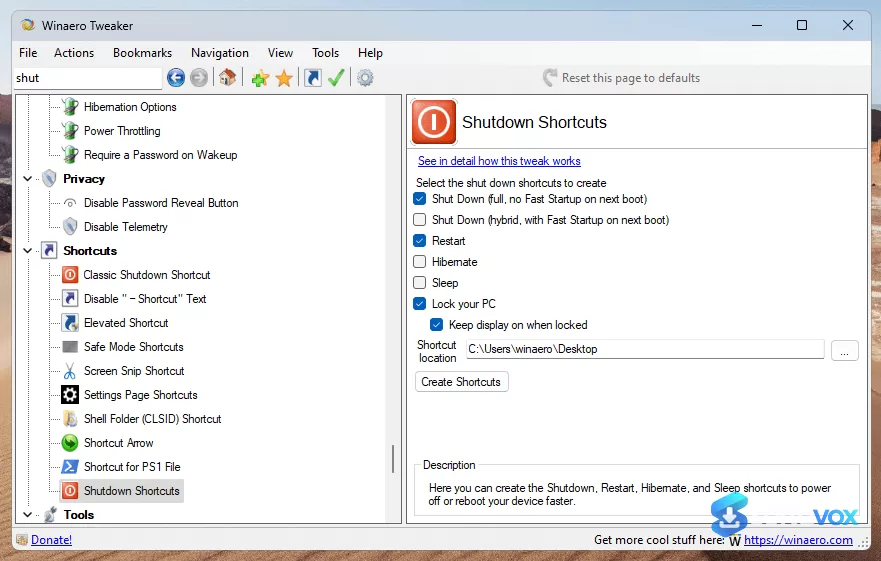
Winaero Tweaker’s core value is that it puts a massive collection of Windows settings into a single, searchable window, eliminating the need to hunt through Control Panel, Settings, and the Registry Editor for every small change. The interface is organized into logical categories, Appearance, Behavior, Boot and Logon, Desktop and Taskbar, and more, and each setting includes a description so you can understand what a tweak does before you apply it. The feature set is genuinely extensive. You can restore the classic Windows 10 context menu and File Explorer ribbon, bring back the old photo viewer and volume slider, permanently disable telemetry and ads, manage startup items, customize shortcut arrows, and even tweak networking options like the RDP port. The portable nature of the tool is a major advantage: you can extract it to a folder, run it when needed, and remove it without leaving a trace, with no background services or resident tasks. The safety net is one of the most important features. Winaero Tweaker includes an undo button and an option to create a system restore point before applying changes, which is essential for a tool that modifies system-level settings. The 2026 releases have also addressed a major bug: version 1.64.1 fixed a critical issue where the "Reset to Defaults" button in the Advanced Appearance module could inject legacy font values and corrupt Windows 11's scaling, rendering the UI illegible on high-DPI displays. The fix reworked the font-scaling logic to properly back up and restore standard values, and later builds (1.65) include further improvements to dark mode and display animations. The limitations are those of any system tweaker. The software is Windows-only, and it makes unofficial changes that can, in rare cases, cause instability. Windows Defender has flagged the executable as a trojan (a false positive, according to the developer), which can prevent the app from launching until you whitelist it by process. Some settings require a restart or an Explorer restart to take effect, and the tool is not designed for casual users who do not understand the implications of the changes they are making.
- Single, searchable interface: Hundreds of hidden Windows settings organized into categories (Appearance, Behavior, Boot and Logon, etc.) with descriptions for each option, eliminating the need to dig through the Registry.
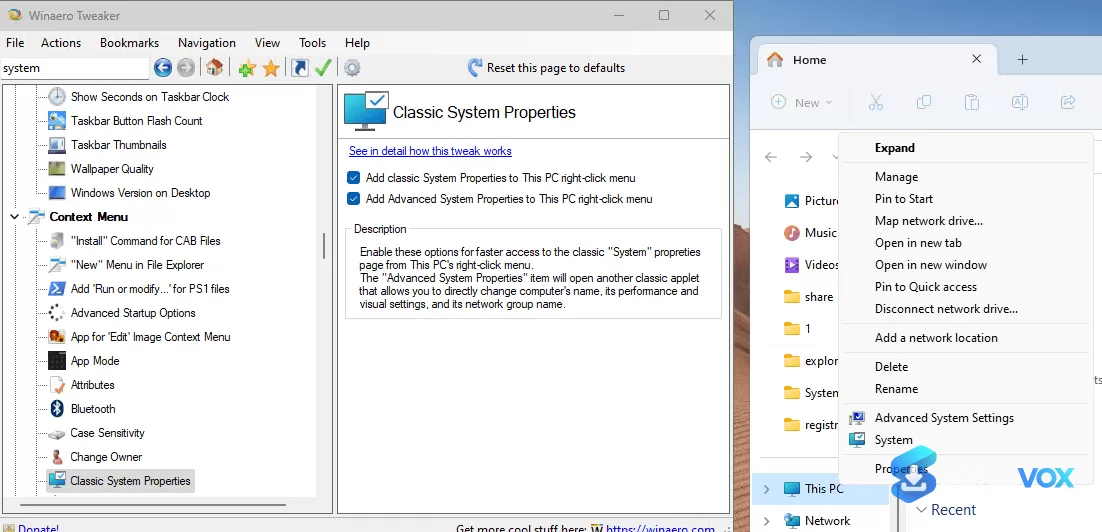
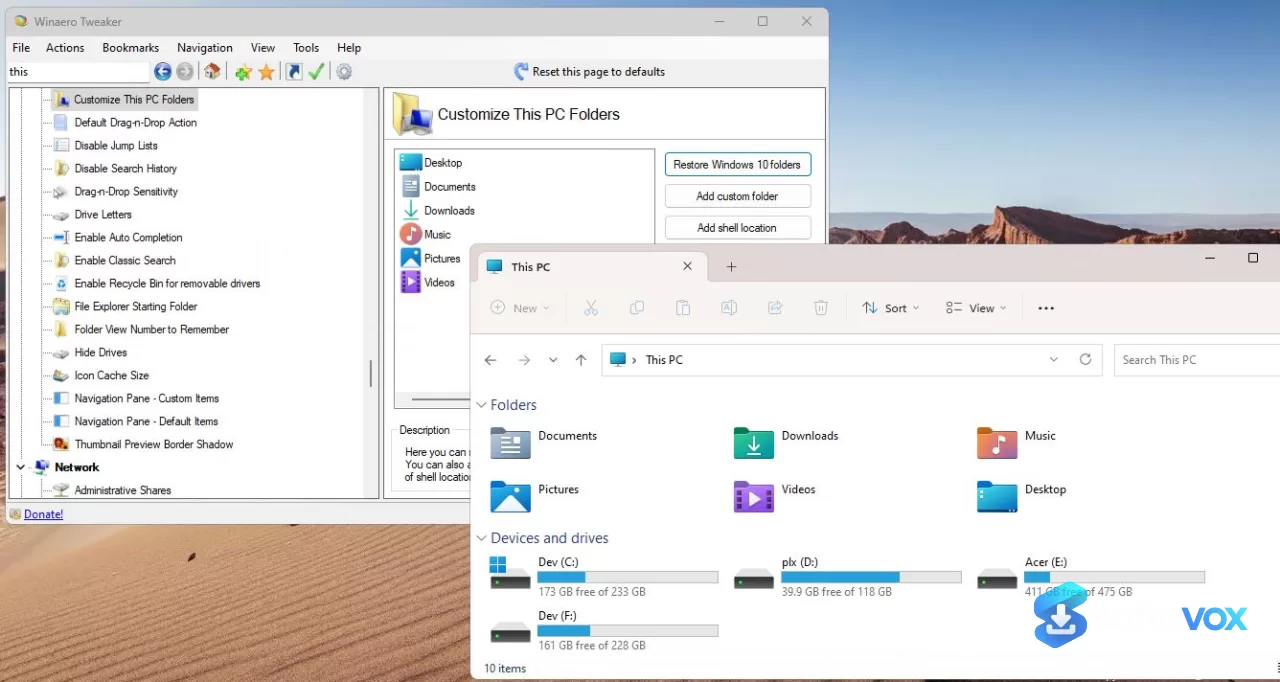
- Restore classic Windows features: Bring back the Windows 10 context menu and File Explorer ribbon, the old photo viewer, and the classic volume slider, among other retired features.
- Privacy and debloat controls: Permanently disable telemetry and data collection, turn off ads and unwanted app installations, and enable automatic Registry backup.
- Portable and lightweight: A roughly 5.3 MB executable that can run without installation, with no background services or resident tasks, and can be removed by deleting the folder.
- Undo and safety net: An undo button and the option to create a system restore point before applying changes, providing a safety net for a tool that modifies system-level settings.
- Deep customization options: Adjust taskbar transparency, show seconds in the clock, customize fonts, manage context menu entries, change the RDP port, and much more.
- Bug fixes in 2026 releases: Version 1.64.1 fixed a critical font-scaling corruption bug, and later builds (1.65) improved dark mode, display animations, and other stability issues.
Pros, Cons & Community/User Feedback
User sentiment around Winaero Tweaker is overwhelmingly positive, with the caveats centred on specific bugs and the inherent risks of system tweaking. On CHIP, the tool holds a "Very Good" editorial rating and has been downloaded over 90,000 times, with the review highlighting that it bundles all of Winaero's tuning tools into a single, free program for Windows 7 through 11. MakeUseOf describes it as the free app that "puts Windows settings in one place," praising its searchable, linear interface and the fact that it brings back features Microsoft retired. XDA Developers calls it "a free, one-stop GUI that puts all those tweaks within reach, complete with a safety net and a very welcome undo button," and specifically credits it with restoring the classic Windows 10 context menu and ribbon, which are major quality-of-life improvements for Windows 11 users. The positive feedback is consistent: it is powerful, portable, free, and it saves hours of Registry hunting. The complaints are specific and instructive. The most serious issue was the "Reset to Defaults" bug in version 1.64, which a Reddit user, RemarkableOil451, warned could corrupt Windows 11 font settings and force a full system restore. The developer, Sergey Tkachenko, acknowledged the bug, explained it as a legacy method that had not been updated for Windows 11's improved font scaling, and released version 1.64.1 to fix it. He also pushed back on accusations of malicious intent, stating: "Pretending that I am intentionally damage user systems is far from reality. It is just yet another bug in my app, not the first one, and surely not the last one." The second major complaint is Windows Defender's repeated flagging of the executable as a trojan (Trojan:Win32/Yomal!rfn). The developer maintains this is a false positive, but the practical effect is that the app may be silently terminated, and users must whitelist it by process using a PowerShell command or a quick action in Windows Security. A Microsoft Q&A response summarises the situation bluntly: "It may be that the program is considered unsafe. After all, it can do some wild stuff with your machine if you use it to frivolously." The third theme is the inherent risk of system tweaking: as one Microsoft Q&A answer notes, "using Winaero can cause your Windows to become unstable depending on the registry keys that are changed."
Pros
- Hundreds of hidden Windows settings in a single, searchable interface
- Restores classic features like the Windows 10 context menu and File Explorer ribbon
- Powerful privacy and debloat controls (teleport, ads, unwanted apps)
- Portable, lightweight (approx. 5.3 MB), and free with no ads or spyware
- Includes an undo button and a system restore point option as a safety net
- Actively developed with bug fixes and new features in 2026 releases
- Widely praised by reviewers for its depth and ease of use compared with manual Registry editing
Cons
- Version 1.64's "Reset to Defaults" bug corrupted Windows 11 font scaling (fixed in 1.64.1)
- Windows Defender has repeatedly flagged the executable as a trojan (false positive, but requires a whitelist workaround)
- Inherent risk of system instability when changing unofficial settings
- Some changes require a restart or Explorer restart to take effect
- No official customer support; relies on online communities and forums
- Not designed for casual users who do not understand the implications of system tweaks
Final Verdict & Safe Download Advice
Winaero Tweaker is the best free tool for anyone who wants to customize Windows beyond what Microsoft allows, and version 1.65 is a mature, capable release that fixes the most serious bug from earlier builds. If you are a power user who misses the Windows 10 context menu, wants to disable telemetry and ads without touching the Registry, or simply wants a single place to manage hundreds of hidden settings, Winaero Tweaker delivers, and it does so with a portable executable, an undo button, and a strong track record. The caveats are real. The font-scaling bug in version 1.64 was a genuine problem that required a system restore for some users, and Windows Defender's repeated flagging of the executable is an annoyance that requires a manual workaround. The tool also carries the inherent risk of any system tweaker: if you change settings you do not understand, you can destabilize your PC. If you are prepared to download from the official source, create a restore point before making changes, and avoid the "Reset to Defaults" option unless you are on a fixed build, Winaero Tweaker is an indispensable addition to any Windows power user's toolkit. If you are a casual user or you are not comfortable troubleshooting, stick to the built-in Settings app and skip this one.
- Download only from winaero.com: The official site is the only legitimate source for the installer and the portable ZIP. Third-party download portals may repackage the executable with unwanted software, and the official site is where the developer publishes version notes and workarounds for Defender false positives.
- Verify the installer size and version: The executable is approximately 5.3 MB, and the current version is 1.65 (released February 26, 2026). A dramatically smaller file or an older version number from an unofficial source is a warning sign.
- Check system compatibility before installing: Winaero Tweaker supports Windows 7, 8, 8.1, 10, and 11. It is a Windows-only application and will not run on macOS or Linux.
- Create a system restore point before making changes: The tool includes an option to create a restore point, but it is not automatic. Create one manually before applying any tweaks, especially font or appearance changes, so you can roll back if something goes wrong.
- Do not use the "Reset to Defaults" option on Windows 11 without updating first: The bug in version 1.64 corrupted font scaling. Update to version 1.64.1 or later (1.65 is current) before using the reset function, and be aware that even on fixed builds, resetting appearance settings carries some risk.
- Heed Windows Defender warnings carefully: If Defender flags the executable as a trojan, do not simply disable your antivirus. The developer provides a documented workaround to whitelist the app by process. Follow that procedure, and do not download "cracked" or "pre-activated" versions from unofficial sources, as those are a genuine malware vector.
Similar software
Key features
- Hundreds of hidden Windows settings, single, searchable interface for Appearance, Behavior, Boot/Logon, Desktop/Taskbar, and more
- Restore classic Windows features, Windows 10 context menu, File Explorer ribbon, old photo viewer, classic volume slider
- Privacy and debloat controls, disable telemetry, ads, unwanted app installations, and enable automatic Registry backup
- Portable and lightweight, approx. 5.3 MB executable; runs without installation, no background services
- Undo and safety net, undo button plus option to create a system restore point before applying changes
- Deep customization, taskbar transparency, clock seconds, fonts, context menu entries, RDP port, and much more
- Broad Windows support, Windows 7, 8, 8.1, 10, and 11
Frequently asked questions about Winaero Tweaker
What is Winaero Tweaker?
Is Winaero Tweaker free?
What are the system requirements?
How big is Winaero Tweaker?
Is Winaero Tweaker portable?
What can I customize with Winaero Tweaker?
Is Winaero Tweaker safe?
Why does Windows Defender flag Winaero Tweaker as a trojan?
What was the “Reset to Defaults” bug in version 1.64?
Do I need to create a restore point before using Winaero Tweaker?
Where should I download Winaero Tweaker?
Does Winaero Tweaker have customer support?
Who is Winaero Tweaker for?
Versions
| Version | Release date | Platform | File size | |
|---|---|---|---|---|
| Winaero Tweaker 1.0 Latest version | Mar 31, 2026 | Windows | 5.3 MB | Download |
Comments about Winaero Tweaker
No comments yet. Share your experience with this program!